
Exchange Guides
How to Deposit on OKX (Crypto & P2P): Beginner's Guide
Fund your account via crypto or P2P — step by step and safely.
Disclosure: Contains an OKX referral link. If you register through it, ucneo may earn a commission at no extra cost to you, and you may qualify for fee rebates. Not financial advice.
Funding your account is the first step to trading. OKX supports two main methods: crypto deposits and P2P (buying USDT with local currency).
Prerequisite: a KYC-verified account. New? See our registration guide.
Method 1 — Crypto deposit
- Go to Assets → Deposit and pick the coin (e.g. USDT).
- Choose the correct network and copy the deposit address OKX gives you.
- Send from your wallet/other exchange on the same network.
- Wait for network confirmations. Always test with a small amount first.
Method 2 — P2P (buy USDT with local currency)
- Open P2P / Buy, choose Buy USDT, select your currency and payment method.
- Pick a seller with a high rating, many orders, high completion rate.
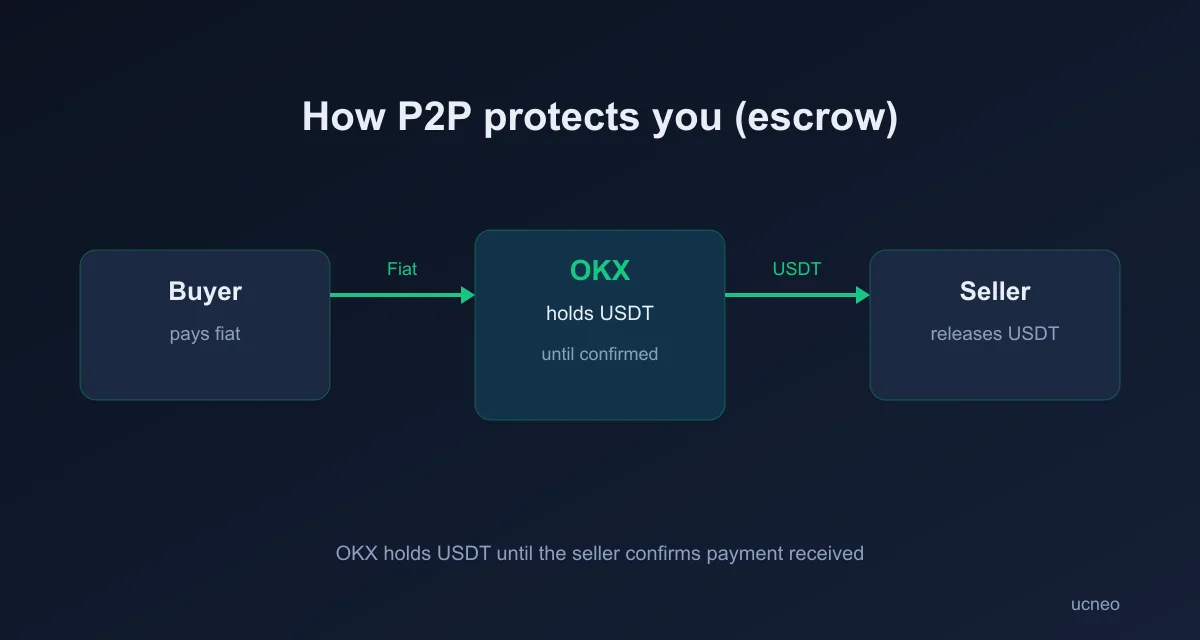
- Place the order — the seller's USDT is held in escrow by OKX. Pay per the seller's details, then tap Paid.
- Once the seller confirms, USDT is released to you.
P2P safety tips
- Only transfer to the account name OKX shows; never trade off-platform.
- Don't write sensitive words ("crypto/USDT") in bank memos.
- Never release (if selling) before funds truly arrive.
Got USDT? Learn how to buy other coins or check the fees.
Network matching: the table to memorize
| If you're sending to... | Then choose... |
|---|---|
| An exchange deposit address | Exactly the network shown on that deposit page |
| Your own wallet | A network that wallet explicitly supports |
| Anywhere, first time | A small test amount before the real transfer |
A deposit sent on the wrong network is not a "delay" — it is usually a permanent loss. This single habit prevents the most expensive beginner mistake.
Deposit not arriving? Troubleshoot in order
- Find the transaction ID (txid) from the sending side.
- Paste it into a block explorer — is it confirmed? If pending, it's the network, not the exchange.
- Confirmed but not credited? Check you used the right network and memo/tag (some coins need one).
- Still stuck — contact official support with the txid. Never accept "support" that contacts you first.
P2P payment notes
Match the payment account name to the counterparty name shown by the platform, keep every message inside the platform, and never mark "paid" before you actually sent — disputes are decided on evidence.
First-deposit checklist
- 2FA enabled before depositing
- Network matches on both sides
- Test amount for a new route
- Fees checked — see OKX fees explained
FAQ
Which is cheaper? Crypto deposits cost only the network fee; P2P is often low-cost. Compare for your case. Why hasn't my deposit arrived? Usually a wrong-network transfer — always match the network.
Educational content only. Not financial advice. Last updated: July 2026.